Passkeys: The easier and more secure way to access your Schwab accounts.

Why passkeys?
Faster Logins
Access your account faster with instant authentication.
Stronger Protection
Protect against phishing with no password to enter.
Less to Remember
Sign in using your fingerprint or face recognition.
More Control
Use your own device to protect your Schwab account.
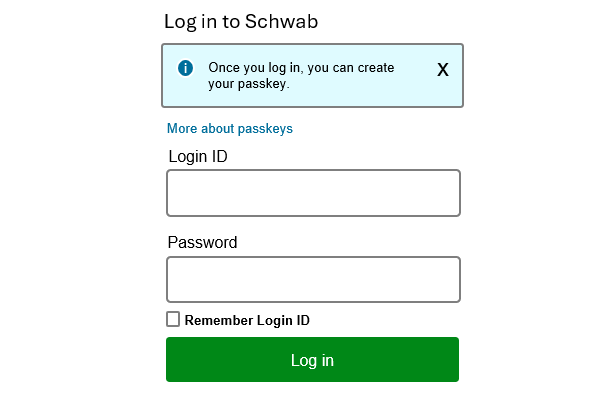
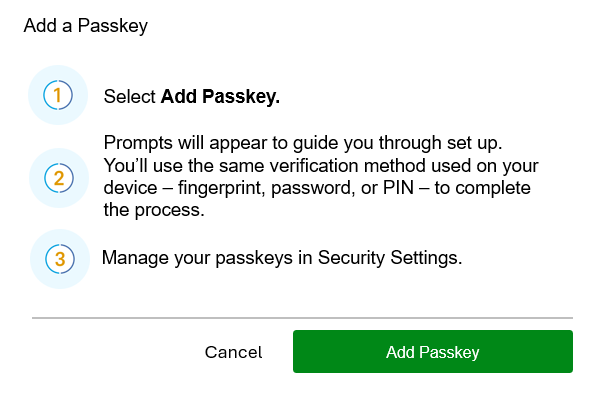
Create your passkey.
Frequently asked questions
A passkey is an easier and more secure way to log in to your Schwab account. You sign in by confirming it's really you, using something you already have, like:
- Your fingerprint or face recognition (face ID)
- Your device (such as your phone or computer)
- A security key hardware device
Passkeys help protect you from fraud and make signing in to your account simpler. With passkeys:
- Once you've enrolled, there's no login ID or password to remember. A passkey works behind the scenes with your device, so you don't have to think about it once it's set up.
- There is nothing for fraudsters to steal. Passkeys are bound to specific sites and without your device or biometrics, such as a fingerprint or face ID, or PIN, the passkey is unusable.
- You usually won't need extra verification steps. (For sensitive actions, like moving money, we may still apply additional protections as appropriate.)
Many banks and apps are moving in this direction, and we're bringing it to Schwab in a way that keeps your security strong without slowing you down. Your security remains our top priority.
Yes. Passkeys are linked to devices. For example, you could register passkeys for your phone, home computer, and work laptop.
A passkey stays tied to the way you save it, and in many cases, can still be used across your devices. For example, a passkey saved on a security key stays on that key, while a passkey created on your phone stays on your phone, yet both can still let you sign in on other devices. Either way, they all point back to your Schwab account.
To make things clearer, you'll be able to name your passkeys (for example: "My iPhone" or "Home Laptop").
Once you have registered a passkey with Schwab:
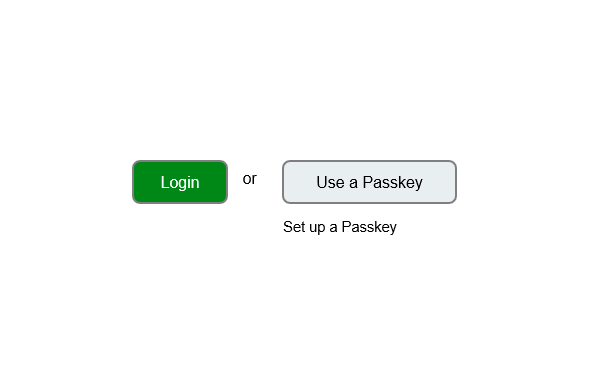
- Choose Use a passkey on the Schwab login screen.
- Follow the prompts on your device to confirm it's you (using your face, fingerprint, device unlock, etc.).
- You're signed in—no password, no waiting.
To keep your passkey safe:
- Protect your device: Use a lock screen (face ID, fingerprint, PIN, or password), making sure that only your face or fingerprints are registered on the device, and never share the PIN.
- Choose a trusted service: If you use a cloud account to sync your passkey, keep that account secure. This helps make sure no one else can sync your passkey to their devices.
- Don't share device access: If you give someone access to your device, they may be able to access your Schwab accounts.
- Use trusted devices: Save passkeys only on personal devices you control, such as a phone, laptop, or security key.
If your device is lost or replaced:
- Your passkey can't be used without your device and your biometric (face ID or thumbprint) or PIN.
- You can sign in using another trusted method and set up a new passkey on your replacement device.
That's completely normal. You don't need to be an expert to use passkeys. If you can unlock your phone, you can use a passkey.
Think of it this way:
Schwab is giving you a safer, simpler way to sign in without extra hassle. We'll guide you through each step and support is always available if you have questions.
The bottom line is that with passkeys, you get:
- Faster sign-ins
- Fewer interruptions
- Stronger protections
- Less to remember
Passkeys are designed to make your Schwab experience easier and more secure at the same time. However, even with passkeys enabled, your login credentials can still be valuable to cybercriminals. Please take a moment to ensure your username and password are just as secure as the rest of your account.
